
How I composed two albums with an iOS idea notebook, between a train and my Ableton Live studio
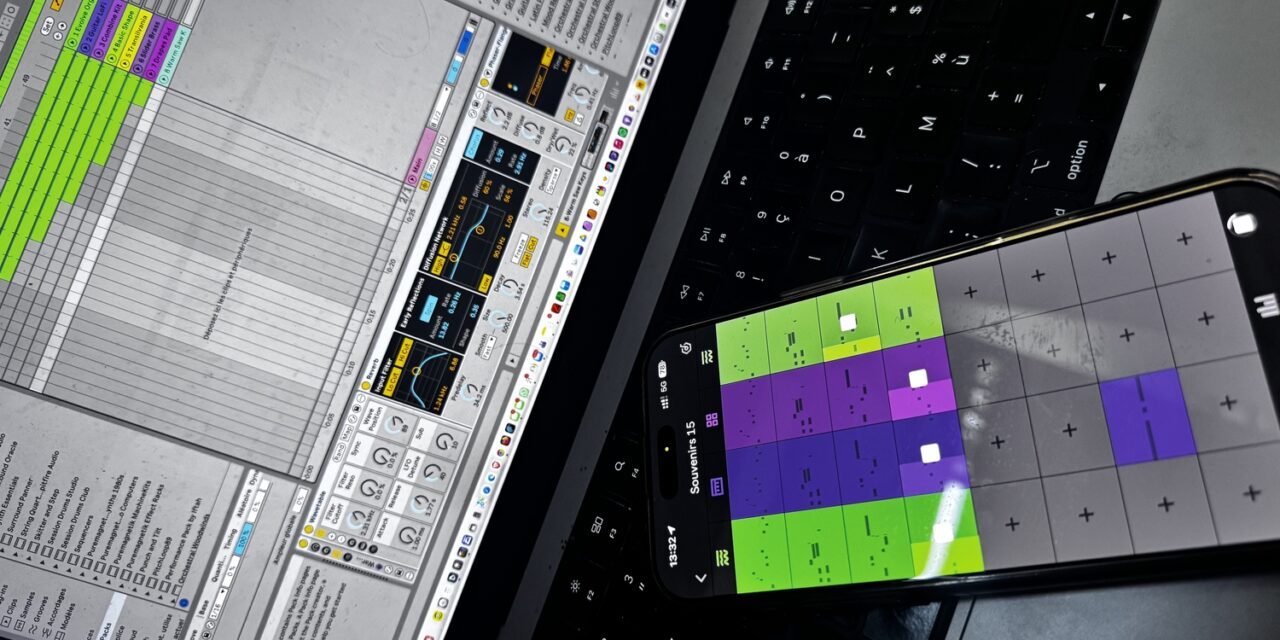
A melody stuck in your head, a pad — those sustained chords that set a mood underneath —, a rhythm that sets the tempo: this kind of idea never waits until I’m in my home studio. It turns up on a train, in a hallway, as I wake. But composing isn’t only about receiving a ready-made idea: it’s also experimenting, fumbling, stumbling onto something you weren’t looking for. There too, it all comes down to catching it before it fades. And often what matters isn’t the exact note but the texture: the very matter of the sound, what makes the same pad feel muffled or metallic. The real problem isn’t running short of ideas; it’s losing them between the moment they surface and the moment I switch the machine back on. Two whole albums — Connected Dreams and Les souvenirs connectés — were born far from my studio, on a phone, in Ableton’s Note app, before being finished in Live. Here’s how this mobile sketchpad slipped into my process: what it does, what it doesn’t, and why its simplicity is a strength.
The idea doesn’t warn you, and neither does chance
A pad that breathes, a colour that sets a scene: ideas like these have a short shelf life. You don’t whistle them like a melody; you feel them. Once the mood has passed, you don’t replay it: you reconstruct it, and badly. Between the spark and the moment I open Live, hours go by, sometimes days — long enough for the initial texture to dissolve, leaving only a rough memory. And a good part of what’s worth keeping I never planned: the happy accident, the one that rings true by surprise and never repeats.
Electronic music was built partly on this gesture: capturing a sound, a loop, an atmosphere before it slips away. From the first magnetic tape to today’s sequencers, the gear has changed, not the reflex — which is the whole thread running through our journey across the history of electronic music. What was missing, on the scale of an ordinary day, was a notebook quick enough to keep up with an idea.
What Note is, and what it isn’t
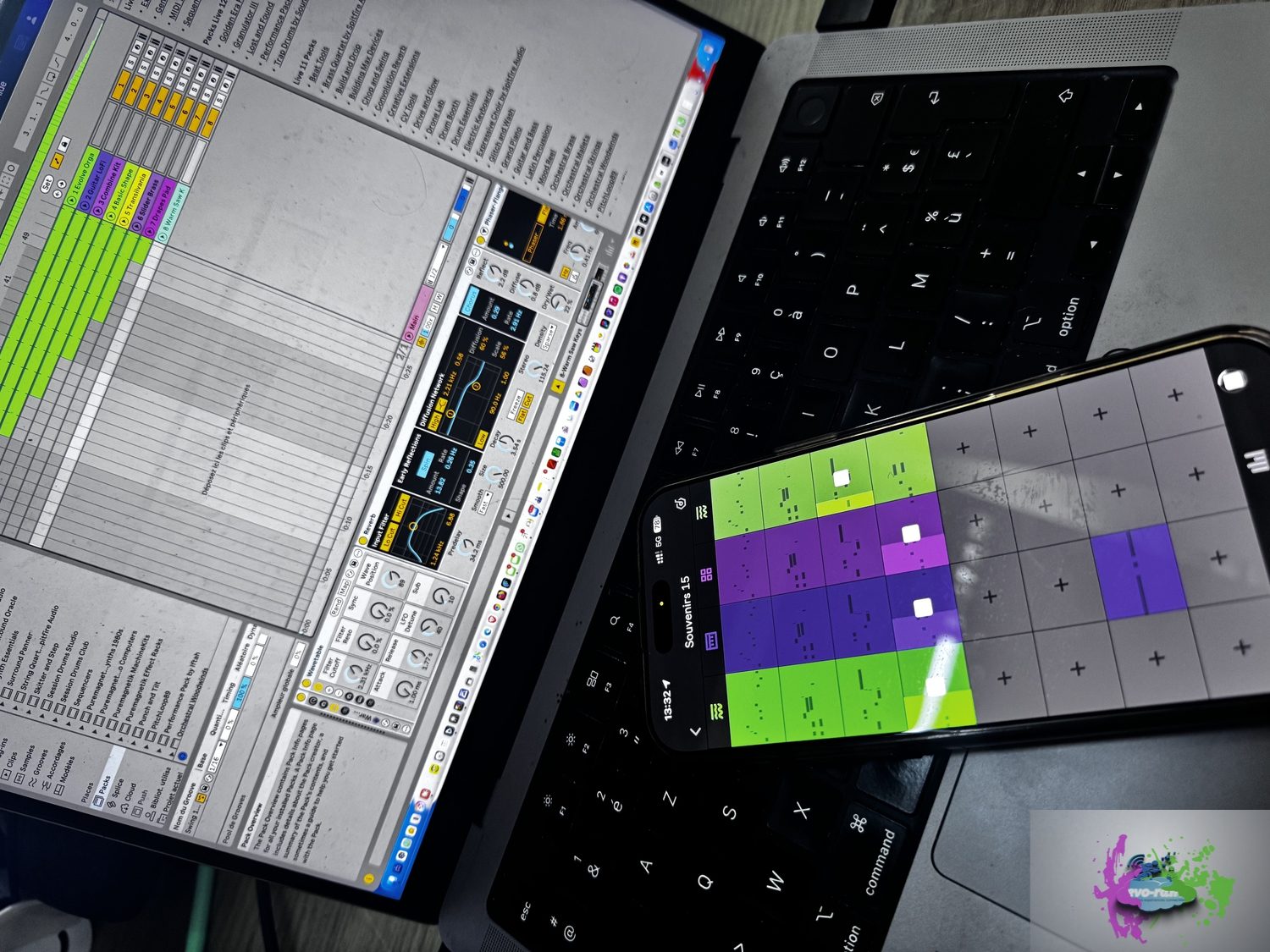
Note is Ableton’s first mobile app, released in late 2022. It isn’t a pocket studio, and that’s deliberate: the press has described it as a sketchpad, a companion to Live rather than a substitute. You lay down rhythms, melodies and pads on a grid inspired by Live’s Session View — the space where you stack your loops, those short motifs that go round and round — with the same instruments and effects as the software: reverb for space, delay for echo, saturation for grit. It sounds good, which is what sets it apart from the countless throwaway touchscreen toys.
Three points, because they decide how you use it. First, Note is iPhone- and iPad-only: Ableton has confirmed it has no plans for an Android version. Second, you can sample any sound around you with the phone’s mic — up to sixty seconds — and turn it into a playable instrument. Third, there’s no record button to press: you play, and the app keeps what you just did and loops it. That last detail seems minor. It changes everything: you experiment with no intention, and the happy accident — the one you couldn’t have reproduced — is already saved, without that split second of hesitation where you weigh whether an idea “deserves” keeping, and lose it.
You can even use Note on its own, without owning Live. It offers several starting points — a rhythm, a melody, a sampled sound, an improvisation caught on the fly — and you pick one to suit your mood. For anyone who stalls at the start, that range of prompts is a real unlock.
Sampling the world, raw material for pads
The feature I use most isn’t the synth grid, it’s the sampler. The phone’s mic picks up anything — a gust of wind, the grain of a fan, a muffled voice — and Note turns it into a tuned instrument. For atmospheric music it’s a goldmine: a pad born from a real sound carries a texture no preset can give. Starting from the world as it sounds, then bending it until it evokes something else: that is exactly the idea of imaginative soundscapes. And, like the idea, the good sound doesn’t come round twice.
The first move, on a train
A good part of these tracks wasn’t born in front of my speakers, but on a train. I make the trip to Paris regularly, and there’s a particular kind of time in those journeys: a suspended hour, with no reliable Wi-Fi, where you can’t set anything up — no keyboard, no studio — just the landscape rolling by and a phone in your pocket. One day, rather than let an idea slip, I opened Note. A few chords, a pad laid straight onto the screen, a loop turning to the rhythm of the carriage. No firm plan: I let things cross and kept what rang true. What I was after was this: the idea that if machines dreamed, their dreams would be made of inconsistencies and imperfections — like ours. The accident caught in that carriage was part of it. The arrangement and the finishing came later, in Live; but the track’s DNA had set right there, between two stations. These sketches grew into two whole albums — listen to one of them:
Every new Rê>ON track lands in your library the day it comes out. Follow.
Constraint as an engine
We assume a limited tool holds creativity back. For sketching, it’s the opposite. Note gives you only eight tracks, a handful of effects, no fine mixing, no project import. The upshot: I can’t hide in the settings — just the idea, played, kept or tossed. That’s the weak spot of many producers, me first: starting, instead of polishing the invisible. When a pad grabs me, I don’t go hunting for the “best” sound: I double the loop and keep the version that breathes best. Deciding replaces searching.
Atmospheric music lends itself to this economy of means: the great pads of the French lineage — from Schaeffer to Jarre — owe nothing to an abundance of gear, everything to the rightness of a texture and a movement. A constraint that forces a quick decision protects the original intention, before you bury it under options.
From phone to Ableton Live, without breaking the thread
A notebook is worthless if you can’t get out of it. This is where Note delivers. Through Ableton Cloud, you send your sketch to Live, where it reopens as MIDI clips — the recorded notes, editable one by one — with the same sounds and samples. Nothing to re-import: what I had on the phone I find identical on the computer, ready to develop. Cloud is free on every edition of Live, trial included, and gives access to Live 12 Lite.
In practice, the thread doesn’t break between the spark and the production. For a track like this one, the first intention arrives intact by the time of the arrangement.
Where the sketchpad stops
An honest note on use: Note doesn’t finish a track. You don’t mix in it, you don’t build a long structure, and it replaces neither the fine crafting of sounds (sound design) nor their placement in the stereo field (spatialisation). That’s not a flaw, it’s a deliberate scope. The mistake would be to try to do everything in it: a quick notebook turned into a shaky studio loses its one quality, speed.
Two limits, too. First, no physical interface: everything happens with a finger on glass, no knobs, no faders. A pad is easier to shape with real controls under your fingers — for a few tracks I actually went back to a MIDI keyboard in Live, old-school. Sometimes just for the pleasure of touching the instrument. Second, not all of Live’s library is there: Note sticks to a selection of instruments and sounds. Enough to sketch; for a precise timbre already in your head, you’ll need the studio.
My rule is simple: sketch on mobile, finish in Live. Note captures the intention, Live realises it.
Listen to Connected Dreams, then open your own notebook
Keeping the accident instead of letting it slip is, at bottom, my whole point: if machines dreamed, their dreams would be imperfect — and it’s those imperfections I try to capture. That’s the idea behind Connected Dreams, my suite of twenty-three pieces, linked by as many interludes, to discover alongside the rest of my Rê>ON work on my listening-and-links page, across every platform. All my records are presented in Rê>ON’s annotated discography.
As streaming platforms learn to sort AI-generated music, laying claim to a human gesture — an idea caught on a train — is no small thing. For my new project, I set out to find these sensations another way: I’ll tell that story in a future workshop article. From my clumsy beginnings in the 2000s with Reason and Cubase, I’m finally closing in on a workflow and tools that suit me. Subscribe to the Rêves Connectés newsletter so you don’t miss it, and write to me via the contact page to compare how we each catch an idea.


Trackbacks/Pingbacks